Paper and spreadsheets to one order workflow
TGPCB, an electronics components distributor in Vietnam, ran every order on paper forms and a shared Excel file: quotes, supplier purchases, goods arriving, payments owed. We replaced that with one system the office, the warehouse and the customers all read from — and stayed on to keep improving it.
The problem
A customer order for electronic parts is rarely one purchase. Lines are bought from different suppliers abroad, arrive in separate parcels on separate days, and are paid for in instalments. On paper and in Excel, the state of an order lived in someone’s head: which lines were bought, which had landed, what was still owed. Every status question from a customer was a phone call, and every answer depended on who picked up.
What we did
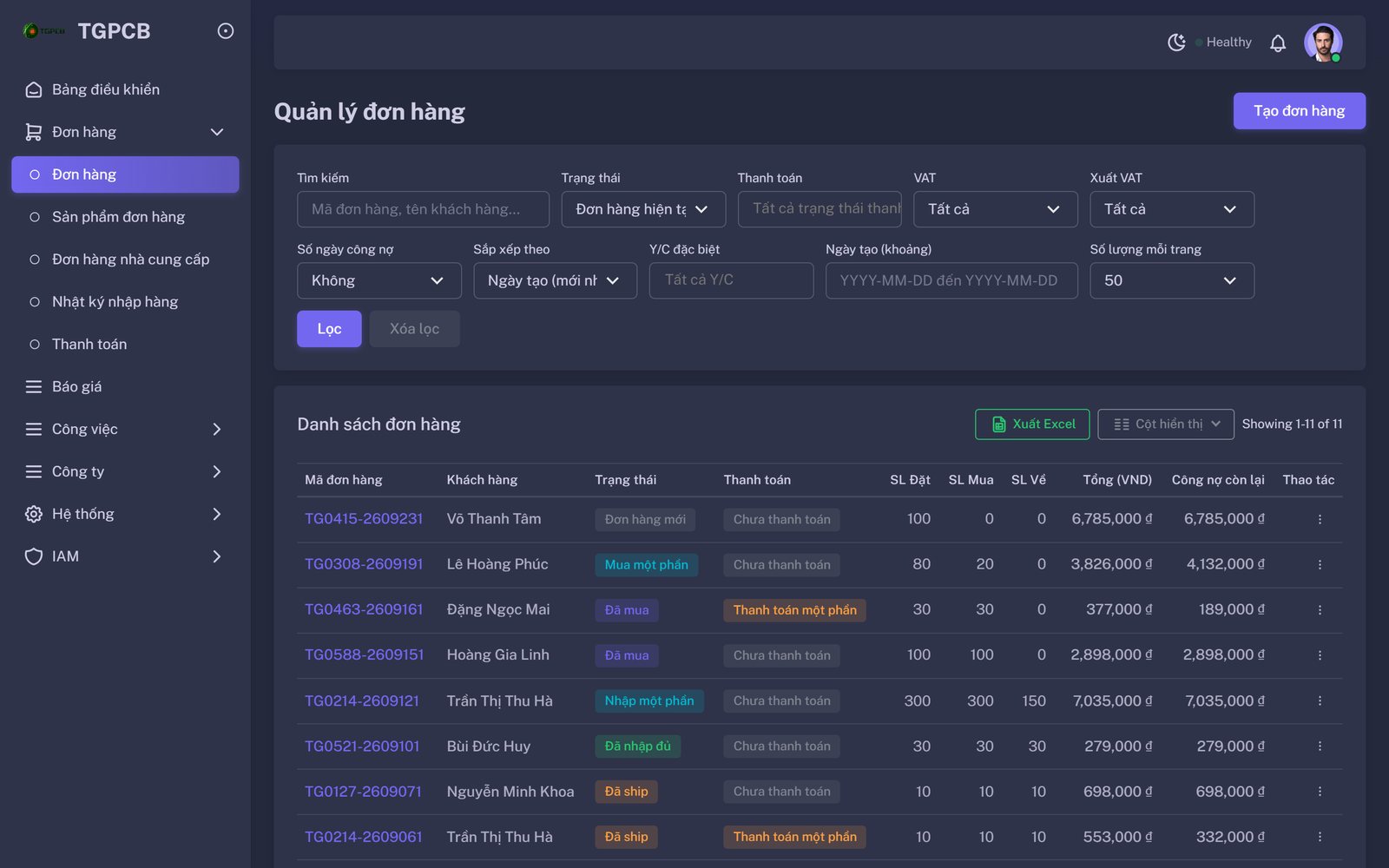
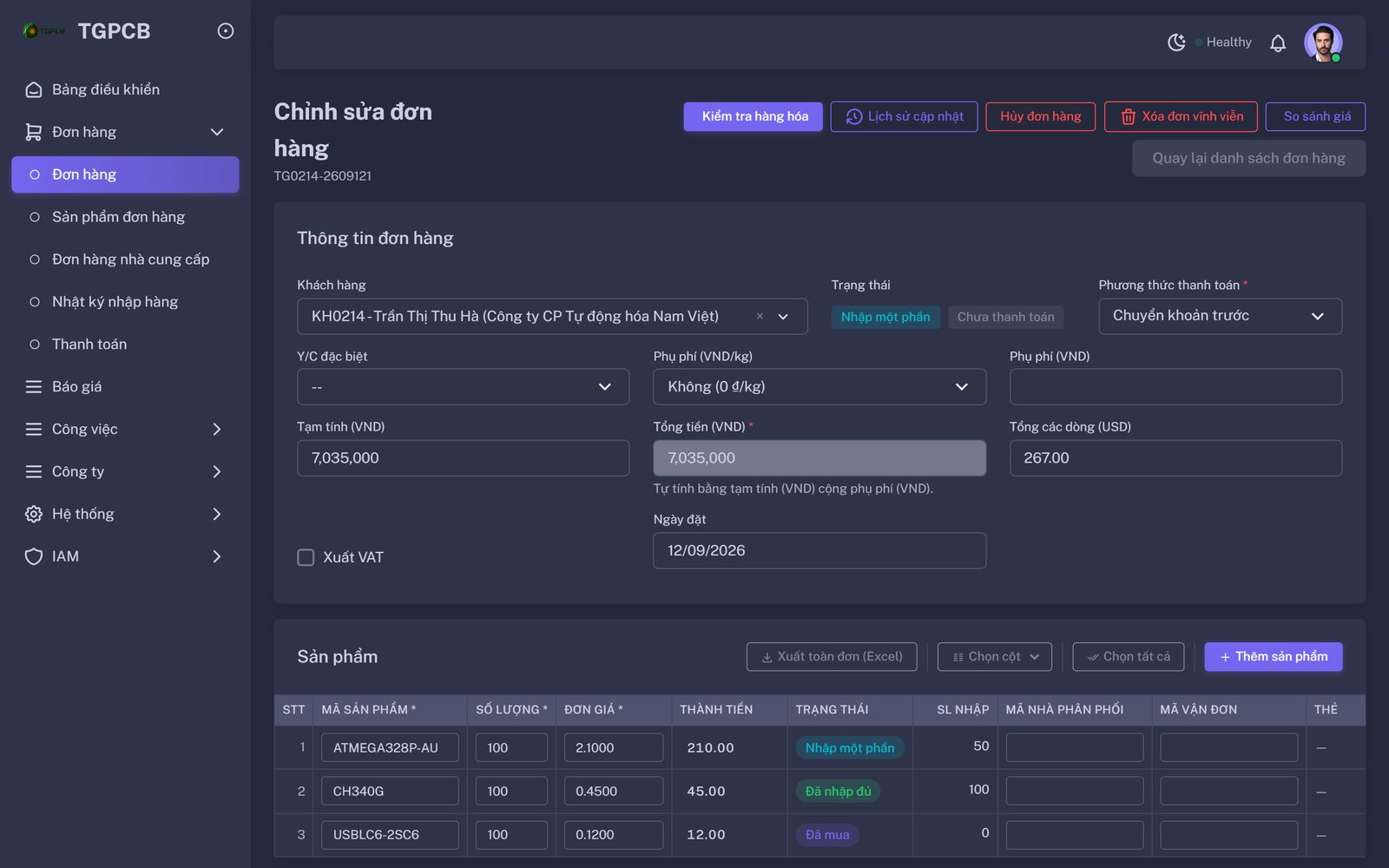
We built around one rule: status is derived, not typed. Staff record what physically happened — a supplier order placed, a barcode scanned at goods-in, a payment approved — and the system works out where every line and every order stands. An order cannot be marked shipped by hand; it becomes shipped when every line has a tracking number. It cannot be edited after that, which ended a category of disputes.
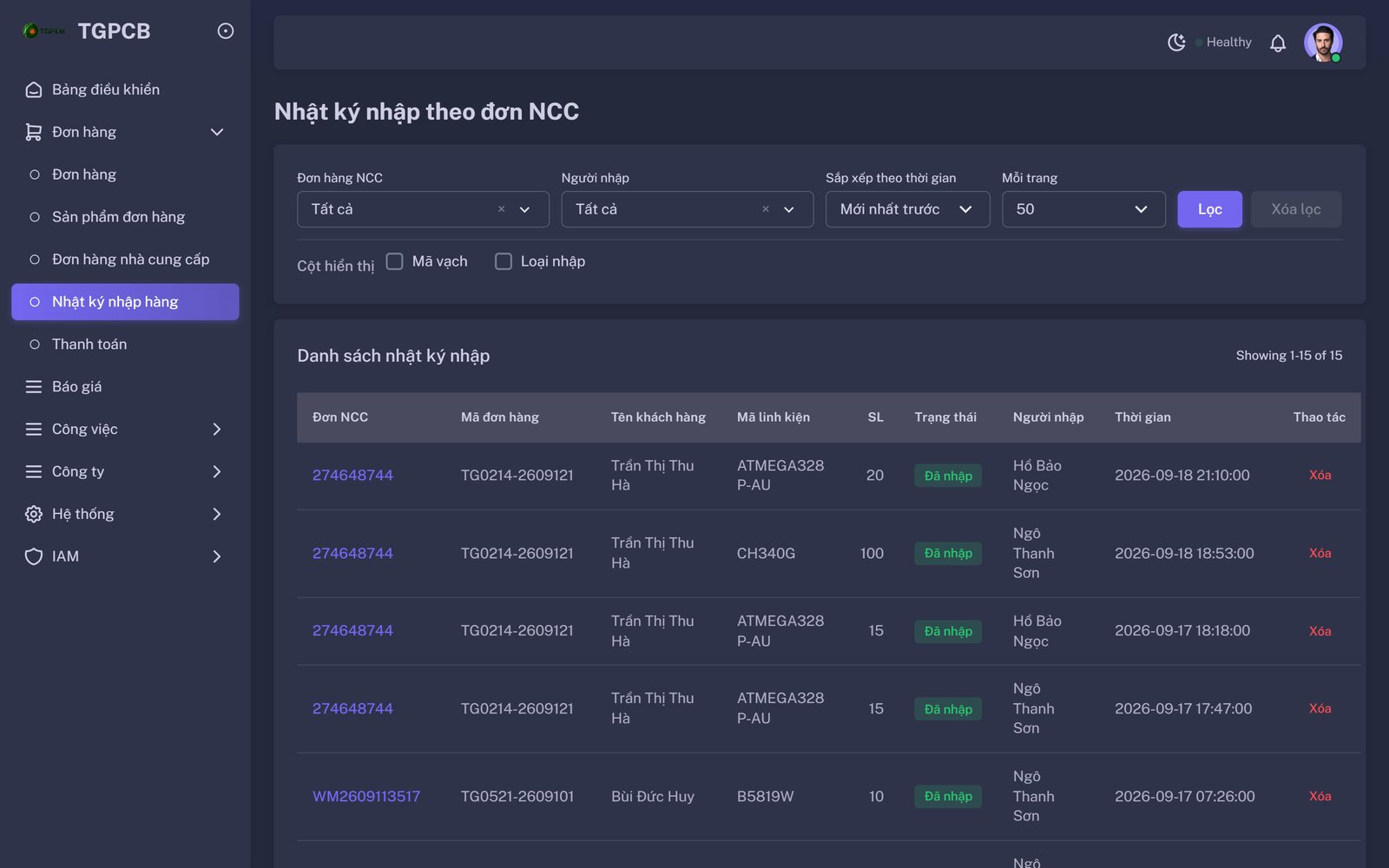
Purchasing got live prices from four component suppliers so quotes stop depending on browser tabs. Goods-in got a barcode flow so a parcel is booked against the right line in seconds. Finance got a payment approval step and a per-customer balance that turns overpayments into credit instead of a note in the margin.
What we deliberately left alone
Excel did not disappear on day one. The system imports the order sheets the team already knew how to fill in, and exports the same shapes back out, so the business could move one process at a time instead of stopping for a migration. The accounting package stayed. So did the suppliers’ own portals — we connected to them rather than replacing them.
Since launch
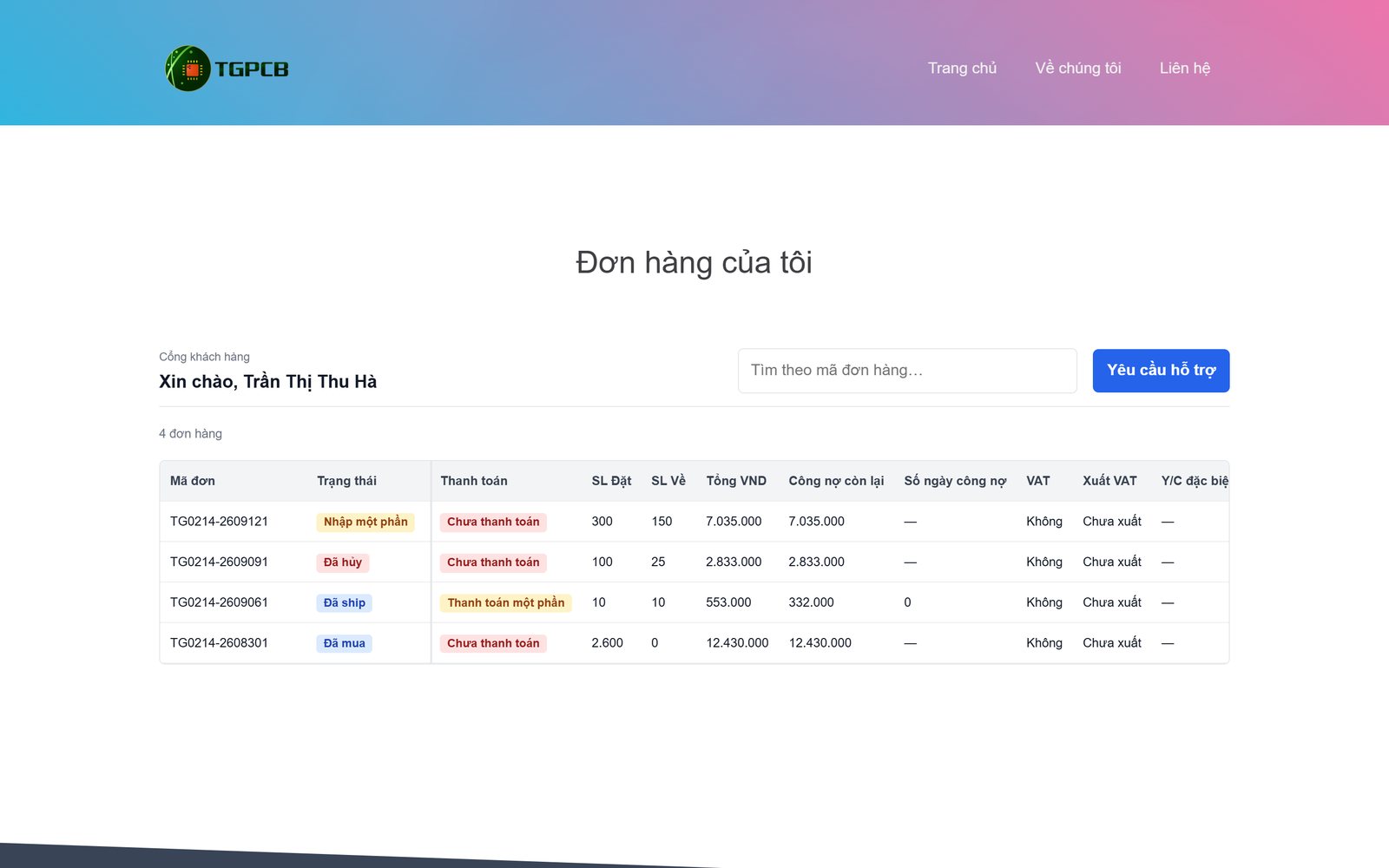
The work has continued in small, dated design specs — fifty-one at the time of writing — each one a change the team asked for after using the previous version: a customer portal so clients check their own orders, a Telegram bot for the sales team, goods inspection before shipping, and a workload view so the owner can see where the week went. Every change ships with a written procedure for the staff who will use it.
Six plain-language guides, one per job, that never mention code:
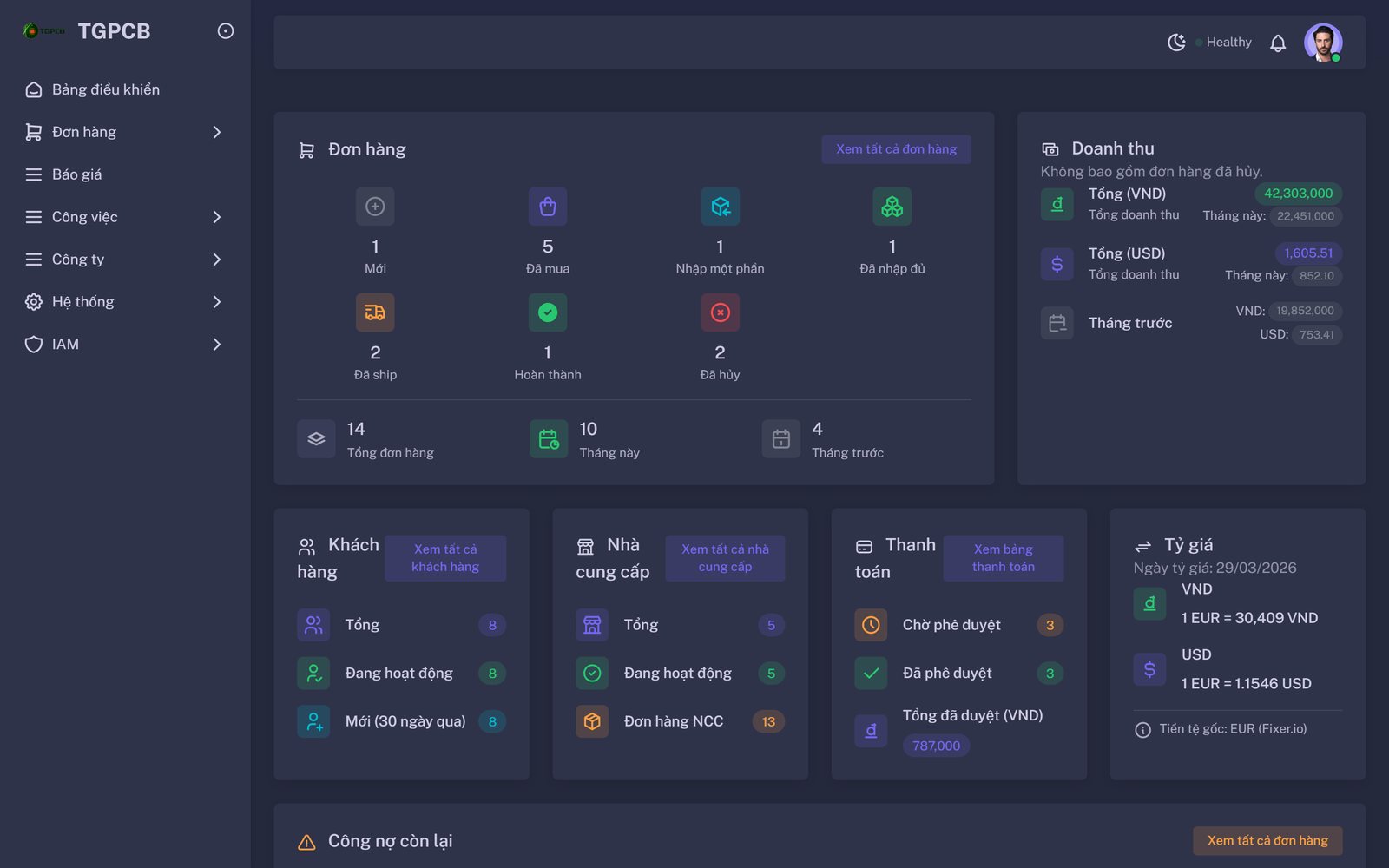
Screens below are TGPCB’s own system running on a demonstration database: every customer, order and staff name is fictional, so no real customer data is shown. Outcome figures are being agreed with TGPCB and will be added only once approved.
Four screens, one rule
Each screen shows a status the system worked out from what staff actually recorded. Nobody types “shipped”.