Software go live checklist: agree the operating plan
Prepare a software go live checklist with named owners, acceptance evidence, recovery decisions, staff handover and agreed support coverage.

Your new order system passes its demo, but launch day still has unanswered questions. Who decides whether staff can start using it? Who receives the first failed-order alert? What happens to orders entered after a release has to be stopped? Use this software go live checklist to turn those questions into an operating plan with named owners and evidence.
This guide is for an owner or product lead preparing a business application for everyday use. The checklist is a recommended starting point: adapt it to your workflows, dependencies and risks. It covers launch readiness and handover; a detailed data migration plan needs its own work.
1. Name the person who can approve or stop launch
Write down the launch window, its timezone, the workflows entering service and who will be affected. Choose a business decision-maker to approve the start, with a technical lead responsible for reporting readiness. Name a deputy for each and confirm that they can be reached during the window.
Give staff one place to see the current decision. Record whether launch is approved, delayed or stopped, who made that decision and what evidence they reviewed. A developer confirming a successful deployment and an operations lead accepting the live workflow are separate checks.
Keep the review proportional. Google's guidance on reliable launches recommends concrete, practical checklist items and maintaining the checklist as systems change. Its large-scale operating model provides context rather than a staffing requirement for a small business.
2. Attach evidence to the readiness checklist
A tick beside “tested” is difficult to review. Ask for a dated result, the environment used, the person who checked it and any remaining limitation. The following is a suggested review sheet; assign its owner roles to actual people.
Business workflow
Accepted normal and exception scenarios, including role restrictions. Owner to name: operations lead.
Production dependencies
Confirmed live credentials, permissions, notifications and connected services; test traffic separated from real work. Owner to name: technical lead.
Data readiness
Agreed reconciliation results, unresolved discrepancies and authority for each record. Owner to name: data owner.
Recovery
Checked backup and restoration procedure, stop conditions and treatment of new transactions. Owner to name: technical lead.
Staff readiness
Role-based walkthrough, accessible job guide and practised exception route. Owner to name: team supervisor.
Support
Named contact, coverage window, escalation route and agreed incident response expectations. Owner to name: service owner.
Test the work from the user's account, including an ordinary record, a rejected input and an interrupted handoff. For an order workflow, that might mean entering an order, checking that warehouse staff can act on it and confirming what happens when its delivery service is unavailable. Mark simulated checks as simulated; arrange safe production verification for checks that need it.
3. Decide which open issues block go live
Review outstanding issues against the work people need to do on the first day. A missing permission that prevents dispatch may block launch. A cosmetic issue may be acceptable if it does not hide information or prevent use. Record the impact and decision for each issue.
- Blocker: name the failed launch criterion, its owner and the evidence needed for a recheck.
- Accepted limitation: document affected users, a safe workaround, an owner, a review date and the person accepting the risk.
- Later improvement: describe the desired outcome and put it in the prioritised backlog.
A workaround needs a credible operator and enough capacity for the expected workload. If staff cannot perform it safely, reconsider the release boundary or delay launch. Agree the minimum operating conditions before the final review so deadline pressure does not decide them.
4. Rehearse the stop and recovery decision
Ask the technical lead to explain how to pause affected work, who may authorise that pause and what staff should do meanwhile. Include what will be checked after recovery. Returning to an earlier software version and restoring an earlier data backup have different consequences; review both with the people responsible for records and integrations.
Illustrative scenario: a new dispatch screen accepts an order, but the carrier connection fails. The agreed procedure holds the dispatch for investigation, records whether a carrier request was sent and assigns an owner. Staff check that result before retrying or arranging a manual shipment. Every real order needs to remain accounted for throughout recovery.

If a backup restore is proposed, identify transactions recorded afterwards and how they would be reconciled. Ask for evidence that the restoration procedure was exercised in an appropriate environment, along with its limitations. Set recovery expectations that the team has evidence to support.
5. Hand over access and the everyday job
Confirm who controls the repository, hosting, domain, billing and third-party service accounts. Give authorised staff the access their roles need and verify that the business can recover account access. Store secrets in the agreed secure location; job guides should point to the access procedure.
Have a staff member perform a representative task using the guide. Include the exception route and support contact, then fix instructions where the person gets stuck. Record who owns future guide updates and how new starters will learn the workflow.
Our Build process includes acceptance scenarios, deployment planning, production verification, appropriate documentation and training, and explicit operational ownership. Agree the exact evidence and responsibilities for the system being delivered.
6. Agree support before the first live issue
Write down where staff report an issue, the details to include and how urgent incidents are escalated. Capture the affected workflow, when it started and a safe record reference; keep passwords and sensitive customer data out of general support messages. Confirm who can pause affected work during investigation.
Separate the time to acknowledge an incident from the time to resolve it. Agree coverage hours and timezone, severity definitions, response expectations and third-party dependencies. Name the people watching the first operating period and the checks they will run, such as failed handoffs or transactions awaiting reconciliation.
Our Care & Growth Retainer reserves monthly capacity for reliability, support and improvement, with an agreed incident response time. Coverage and capacity need agreement before launch. The service excludes 24/7 on-call coverage and unlimited support.
7. Record a go, hold or narrower release decision
At the launch review, read the evidence with the business and technical owners. If an essential check is unresolved, hold the release or choose a smaller boundary that can operate safely. Record what is excluded, which users may start and when the decision will be revisited.
- Confirm the release boundary and accepted business scenarios.
- Review open issues, recovery readiness and support availability.
- Record approval, hold or a revised boundary with a named decision-maker.
- Verify the agreed workflow in production and tell affected staff the current status.
- Set a review date to inspect live issues and prioritise the next improvements.
Keep this decision alongside the readiness sheet, operational guide and support agreement. Bring those documents to the handover conversation: they give everyone a shared way to explain what is ready, who owns the remaining work and how the system will be supported after launch.
Start with a paid Blueprint, not a guess
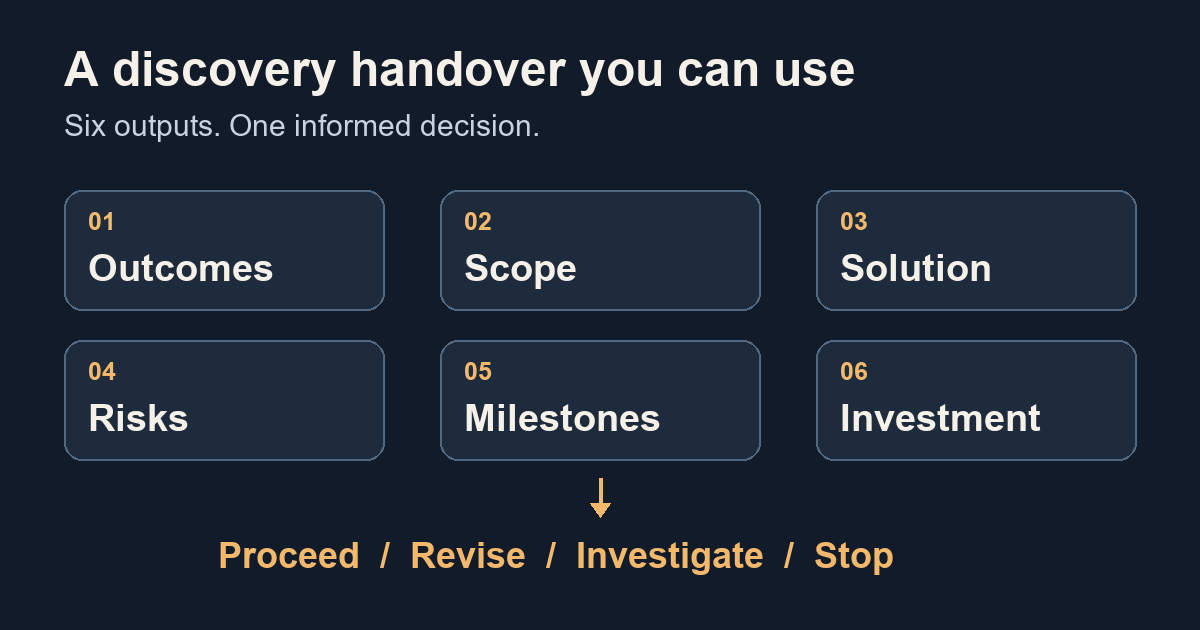
One to two weeks to agree the scope, the risks and the measure of success — then a fixed price for the Build.